
The vase turns slowly on its stand, the dark stripe moves out of view—and the clip ends. Adding a little more movement seems straightforward. But if the stripe appears on the other side in the extension, viewers will notice the inconsistency before they can examine the object itself.
We will look at extending an existing Kling clip in Yes AI: which source is suitable, what to write in the prompt and how to assess the extension. The vase is a teaching example of how to frame the task, not a result from our own test of the service.
Check the clip’s version and origin first
The current Kling page on Yes AI lists extension for Kling 1.6 videos previously created through the service. Do not assume it applies to any other Kling version or an arbitrary MP4 from your phone. A model’s presence in the general list does not make every result a suitable source.
Find the original generation and check whether the extension action is available for it. If not, clarify whether the result is compatible first. Generating a similar scene from text is a different task; it should not be presented as an extension of that particular video.
Describe how the original clip ends
Watch the final moments of the clip. In our example, the ceramic vase turns to the right, the camera is fixed and the light comes from the left. The table edge and a pale wall remain in the background. Note these reference points before submitting the next task.
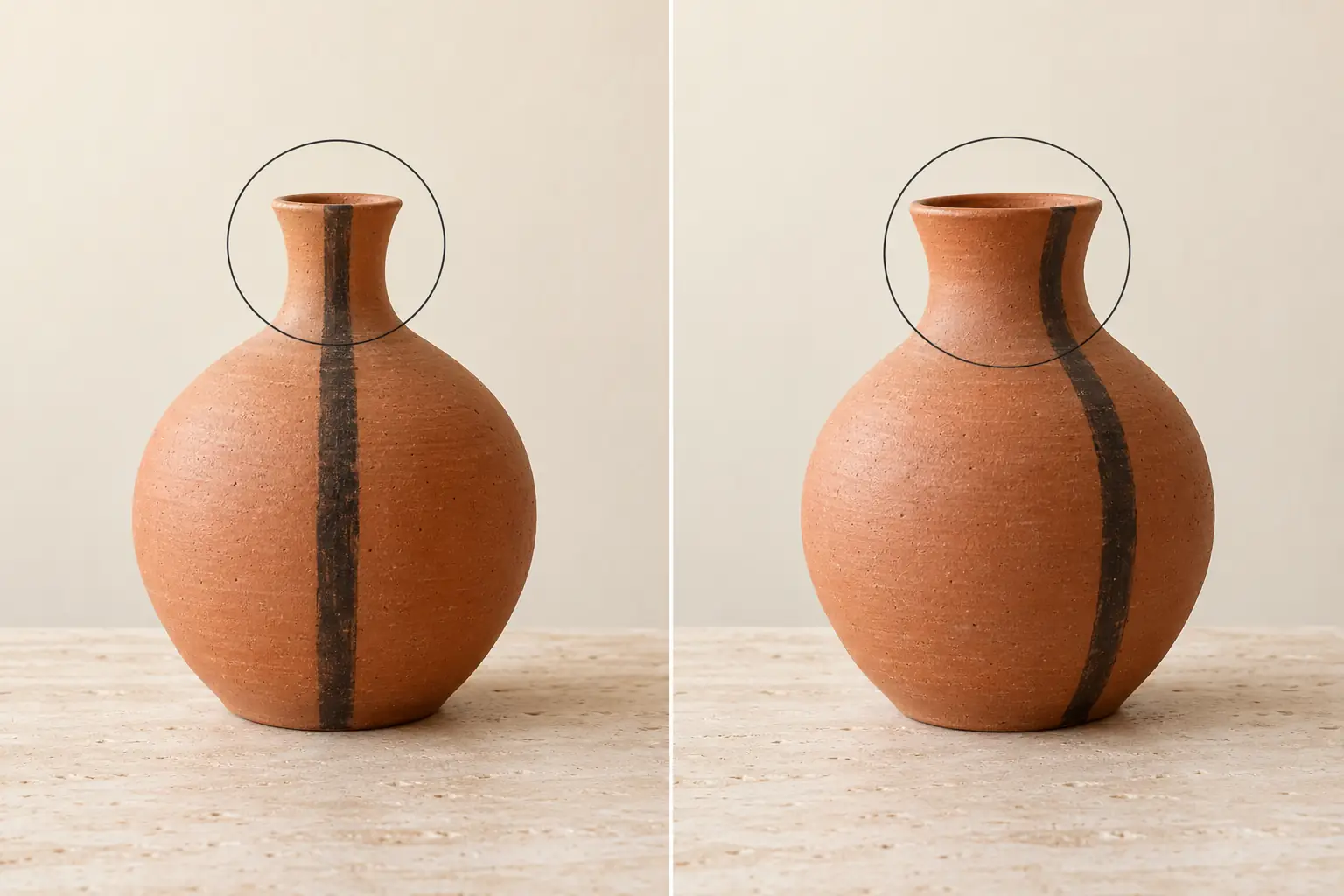
A recognisable detail is especially useful: a single dark stripe on the vase. It makes it easier to spot whether the turn continues or the object suddenly returns to an earlier position. If the vase is already changing shape at the end of the source clip, choose another result first. Do not use extension to conceal that error.
Request one continuation of the movement
A suitable prompt for this clip would be: “Continue the same ceramic vase’s slow turn to the right at the same speed. Preserve its shape, dark stripe, size in the frame, camera position, lighting from the left and stationary background. Do not add objects or change the camera angle. The movement should continue from the position where the original clip ended.”
This is a suggested prompt to try, not a guaranteed command. Do not also request a camera push-in, a room change and the appearance of flowers: it will be harder to identify the cause of a noticeable jump. Before submitting, check the available settings and the operation’s cost in Yes AI’s terms.
Check the join frame by frame and at normal speed
Compare the end of the source clip with the start of the extension. It helps to open them in a video editor and step through the boundary frame by frame. Watch the dark stripe, the width of the neck and the position of the base: the pattern should not jump, and the body should not noticeably change proportions.
Then watch the same section without pausing. Matching still frames do not necessarily mean smooth movement. The turn may suddenly speed up, stop or reverse. Check the lighting and background separately: a new highlight, a shifted table edge or a suddenly darker wall can also reveal a break.
If the transition catches your eye, identify one specific cause. For example: “At the start of the extension, the dark stripe jumps back to the front” or “The direction of rotation changes at the join.” That observation is more useful than a request to make the video better.
Fix the join before building a long sequence
Refine the prompt to address the error you found, then compare the new version with the same source. Keep successful files separately so the next attempt does not displace a usable result. If the continuous turn still breaks down, a clear change of shot may work better in the final edit. A transition effect will not fix a change in the product’s shape.
The Kling API documentation in Yes AI separately describes programmatic extension using a completed task’s ID and a continuation prompt. This is another way to submit a task; API parameters should not be mistaken for web-interface menu labels.
Check that the current join works before extending the next section. Then return to the purpose of a short social media video: extra seconds are useful when they help viewers examine the object, rather than merely making the video longer.